
Is a Medical Alert Button Right for Your Family Dive into This
Contemplating safety for a loved one can be an emotional and personal experience. A medical alert button serves as a practical device that enables families to respond swiftly during emergencies, whether it’s a fall, a sudden health issue, or being alone at home unexpectedly. This article explores real-life scenarios, key features to consider, costs involved, and simple steps to test and implement a system, helping your family make an informed decision.
Rather than treating a medical alert button as a single solution, look at it as one element in a family safety plan. Below you will find practical examples, helpful comparisons, and tips for introducing a device to older relatives, a partner with a chronic condition, or a child with specific needs.
How a medical alert button works and what it does for your family
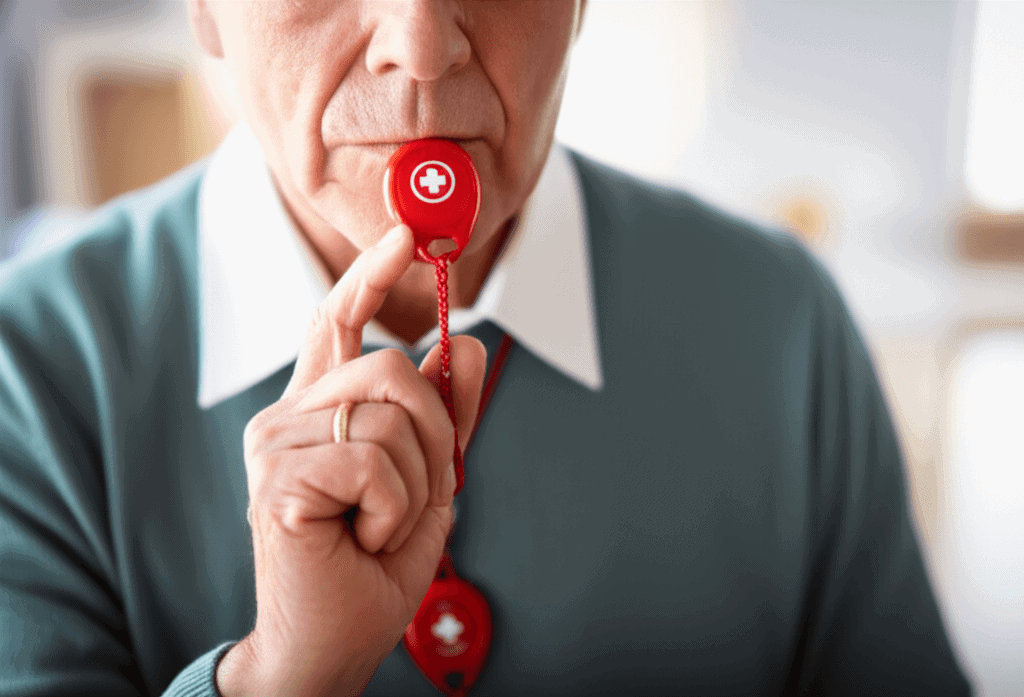
At its simplest, a medical alert button connects a person in distress with a trained responder or a designated contact. Devices may be worn as a pendant or wristband or placed on a countertop. When pressed, the device sends a signal through a base station or directly via cellular service to a monitoring center or to saved emergency contacts.
Common capabilities include two way voice, automatic fall detection, GPS location when outside, and an emergency contact list. Some systems rely on a home landline or internet connection while others use a cellular network. Battery life and maintenance vary by model and influence how reliable a device will be in long term use.
Situations where a medical alert button provides clear value
- After a fall when getting up is difficult or unsafe
- During a sudden medical episode such as chest pain, dizziness, or confusion
- When a family member lives alone or spends long periods alone
- If a person has a history of wandering and cannot always find their way back
- When caregivers are not always nearby, for work or other obligations
For context, about one in four adults age 65 and older falls each year according to national health data. For households with older adults that figure alone makes a case for at least evaluating a wearable emergency device.
Key features to compare between different systems
Choosing the right product means matching features to your family situation. Below are the most important items to weigh when comparing manufacturers and plans.
Connection method and coverage
Decide whether you want a system tied to a home base station that uses a landline or internet, or a mobile unit with a cellular connection that works outside the home. Consider where the person spends most of their time. If they are often outside or in the car a cellular solution with GPS makes more sense.
Monitoring options and response
Some services include 24 hour professional monitoring that will dispatch emergency services if needed. Others allow unmonitored alerts that go directly to family contacts. Think about response speed and the responsibilities you or others will accept when a call arrives at 2 a m on a weekend.
Wearable types comfort and reliability
Comfort influences whether a person will actually wear the device. Pendants are popular for neck wearers while wristbands resemble watches. Look for lightweight options with water resistance if the wearer will shower or wash hands while wearing the device. Check battery replacement or charging schedules and how the device indicates a low battery.
Costs and common subscription models
Price is a mix of upfront device cost and monthly fees for monitoring. Monthly monitoring can range widely depending on the service level a family chooses. Some providers sell the device for a low upfront fee and charge a recurring monitoring subscription. Others include the device in the subscription price or offer a network contract with discounts for longer terms.
- One time purchase and optional monitoring this model may suit families that want control over who responds
- Monthly monitored service for 24 hour response this is common and often includes a trained response team
- Cellular service fees check whether the monthly price covers cellular access or if an extra plan is required
When budgeting, include replacement costs, charger replacements, and potential fees for dispatching emergency services when that is not covered by the provider.
Limitations and common concerns families should know about
No product is perfect so it helps to think about limits. False alarms can happen and may lead to unnecessary dispatches. Some fall detection sensors can trigger when the wearer sits quickly or drops the device. Battery failures or loss of cellular signal can interrupt service in rural areas. Privacy is another concern for some families since location features may share whereabouts with the monitoring center or with designated contacts.
It is also important to set realistic expectations about what a button can do. It cannot prevent every emergency or take the place of regular check ins, medication management, or appropriate medical care. Use the device as part of a broader plan that includes visible reminders, medication lists, and updated emergency contacts.
How to introduce a medical alert button to your family
Start with a conversation that focuses on safety and independence. Present the device as a tool that helps the person stay in their home longer or stay active on their own terms. Demonstrate the product and let the individual wear it on a trial basis. Practice pressing the button and listening to how responses arrive so the wearer knows what to expect in an emergency.
If you want to dive deeper into planning steps for introducing a system and mapping responsibilities among family members, use that resource as a reference when you sit down to make a decision. Keep a short written plan near the device with current medications allergies and the names of primary contacts so all responders have the right information.
Testing the device and scheduling maintenance
Run monthly test calls and record the results. Replace batteries per the manufacturer schedule or set a calendar reminder for charging. Update software or firmware if required. Testing builds confidence and reveals coverage blind spots before a real emergency arises.
Setting emergency rules with contacts
Agree on who gets alerted for first tier responses and who should be contacted only if professional monitoring cannot reach the wearer. Clarify arrival expectations and who will be responsible for transport to an emergency room if needed.
Real life examples that show how a button helped
A retired teacher living alone fell in her kitchen late morning and could not get up. Her monitored wearable detected her press and a response team spoke with her through the device within ninety seconds. Paramedics arrived and she avoided a long lie time that could have led to complications.
A husband in his sixties had a rapid onset of dizziness at home. He pressed his device and called his wife and a neighbor simultaneously. The neighbor arrived and kept him settled until an ambulance arrived. Because the device connected to GPS the response team found the correct address quickly.
In another household a younger adult with a seizure disorder carries a personal alarm while at work. If a seizure occurs at a remote job site colleagues are able to activate a response and emergency contacts receive location details so help arrives faster.
Choosing the right vendor and making the final decision
When evaluating vendors check customer reviews for real world reliability and support responsiveness. Ask about trial periods or return policies and whether contracts lock you into long terms. Confirm cancellation rules and how refunds are handled if service is discontinued early.
Clarify what information is sent to responders and how family members are notified. If possible talk to a customer service representative as if you were calling from the wearer perspective to judge response time and tone. A friendly knowledgeable agent is a practical indicator of how the service performs during a live event.
Selecting a device that matches the daily routine and health profile of the wearer will increase the chance the device is used consistently. A small investment in matching features to real needs pays off when an emergency arises.
Conclusion
Deciding if a medical alert button is right for your family requires weighing real benefits against costs and limitations. These devices can shorten the response time after a fall provide straightforward ways for a person to call for help and extend independent living. The most suitable choice depends on where the person spends time how often they are alone and whether they need coverage outside the home. Start with a short trial period pick features that match daily routines and run monthly tests to confirm reliability. Talk with family members about who will respond to alerts and keep emergency contact and medical information up to date. If you are ready to move forward take one small step today talk through options with the person who will use the device and set a test call before committing to a long term plan. A clear plan and a low risk trial give you practical experience and confidence about the decision.